

Construction & Trades · Concrete Cutting & Specialty Construction

Websites & Software for Concrete Cutting Contractors

Website, inquiry management and job documentation for concrete drilling, sawing and demolition contractors: a web presence that shows expertise and software that documents core drilling, saw cuts and time-and-material reports cleanly.

Sound familiar?

The typical time sinks: Concrete Cutting & Specialty Construction.

We hear this in almost every first call — and that’s exactly where our solutions start.

01

Magnet planning board

Crews, shifts and machines are planned on a whiteboard — whoever isn’t in the office knows nothing.

02

Timesheets at month-end

Sheets are incomplete, illegible or missing — payroll becomes detective work.

03

Qualifications in someone’s head

Only one person knows whether safety or crane certificates are still valid.

04

Paper site diaries

Photos on private phones, reports in the van — evidence is missing for claims.

05

A website from 2012

Skilled workers and clients search online — and find an outdated presence.

It doesn’t have to stay this way.See the solutions
Solutions

What we build for Concrete Cutting & Specialty Construction.

Trades ERP & Quoting Software

KI

Problem: Quotes, invoices and accounting are scattered across several tools.

  • Trades ERP
  • Quoting and invoicing software
  • Accounting software integration

Quote, invoice and accounting draw on the same project data.

DATEV/Lexware
AI module: Quote Assistant
Task:
Drafts a structured quote proposal from key data for review.
Output:
Draft quote (PDF/document) with line items, quantities and prices.
Approval:
Draft is always reviewed and approved by a staff member before it is sent.
Privacy:
Processes customer and project data from the request; details are defined per project.
Digital Project File & Site Diary

KI

Problem: Site diaries and defect logs are kept by hand and hard to evaluate.

  • Digital project file
  • Site diary
  • Defect management
  • Mobile work reports

All project documents live in one searchable place.

Mitarbeiter-App
AI module: Site Report Assistant
Task:
Turns on-site notes and photos into a structured daily/site report.
Output:
Formatted report with times, activities and photo documentation.
Approval:
Report is reviewed by the site manager before being shared with the client.
Privacy:
Contains project and potentially personal data (staff, client); storage location is defined per project.

Equipment, Tool & Fleet Management

Problem: Equipment, tools and vehicles aren't tracked centrally, and maintenance dates get missed.

  • Equipment and tool management
  • Maintenance scheduling
  • Fleet management

Maintenance dates become visible in time, before a piece of equipment fails.

Einsatzplanung

Field-Team Scheduling & Customer Portal

KI

Problem: Field-team assignments and emergency-service slots are coordinated by phone.

  • Field-team scheduling
  • Customer portal
  • Emergency-service and appointment management

Customers see their appointment and job status without having to call.

Kalendersystem
AI module: Appointment Booking Agent
Task:
Books, moves or cancels appointments automatically based on available capacity.
Output:
Confirmed calendar entry, automatic reminder before the appointment.
Approval:
Edge cases (e.g. conflicting requests) are handed to the team instead of decided automatically.
Privacy:
Processes contact and appointment data; storage and retention details are defined per project.

Digital Phone Reception

KI

Problem: Calls go unanswered while the team is out on site.

  • AI phone assistant answers calls
  • Answers standard questions
  • Forwards urgent matters

Calls get answered even when no one is in the office.

Bestehende TelefonnummerKalender
AI module: Digital Phone Reception
Task:
Answers incoming calls, handles standard questions and routes urgent matters onward.
Output:
Call note or calendar entry, with handoff to a team member when needed.
Approval:
No contract or binding price commitment without human sign-off.
Privacy:
Processes personal call data (name, number, request); storage location, retention periods and a data-processing agreement are defined per project.

Inbound Email Agent & Internal Knowledge Assistant

KI

Problem: Tenders and inquiries by email are screened and answered manually; staff repeatedly ask the office the same questions.

  • Inbound email agent for tenders and inquiries
  • Internal staff knowledge assistant

Incoming inquiries get pre-sorted, and the team can self-serve recurring questions.

E-Mail-PostfachInterne Dokumentenablage
AI module: Inbound Email Agent
Task:
Reads incoming emails, identifies the request and suggests a reply or routing.
Output:
Draft reply or forward to the right person, categorization in the inbox.
Approval:
Replies are approved by a staff member before sending, except for explicitly whitelisted standard cases.
Privacy:
Processes email content that may contain personal data; storage and access are defined per project.
Live demo

Try it right now.

Company and personal names in the demo are fictional.

Email agent · live demo

From:


  1. 1Read email and attachments
  2. 2Detect intent
  3. 3Extract structured data
  4. 4Match against master data
  5. 5Prepare for approval
Reference from this industry

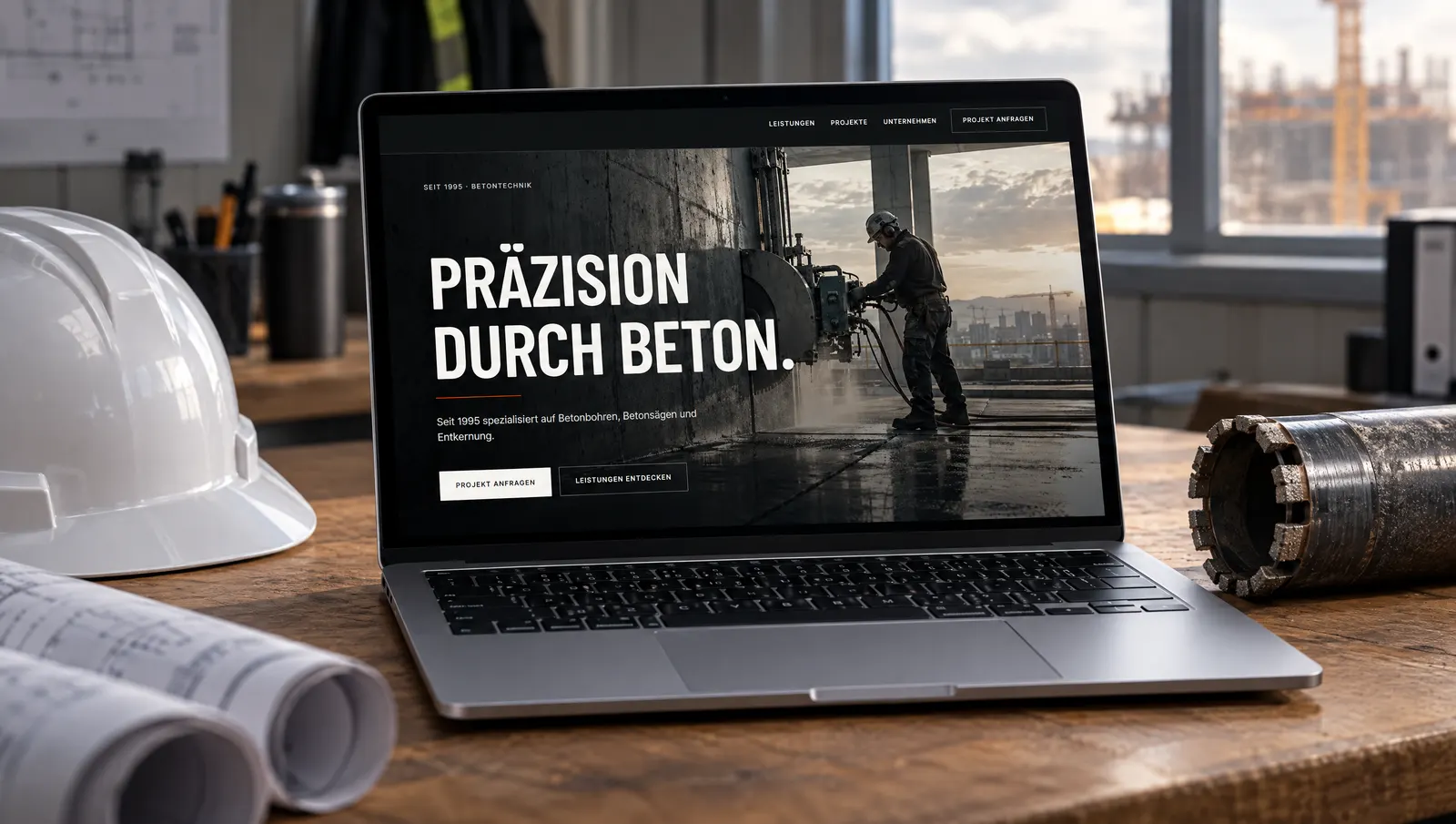
ISIK GmbH — Concrete drilling, sawing & strip-out

A bold, technical web presence for a concrete specialist since 1995 — with service and method pages, a four-step process and a clear project inquiry.

  • Five service areas with image view
  • Four methods with their own anchor links
  • Process: inquiry, alignment, quote, execution
  • Project inquiry as the central conversion
Read the case study
ISIK GmbH — Concrete drilling, sawing & strip-out
FAQ

What clients ask us first.

Your question isn’t here? Write to us.

What does software for Concrete Cutting & Specialty Construction cost?

It depends on where you start. We usually begin with one module that saves time immediately and grow from there. Because we only build what you actually need, you don’t pay for unused features — and no per-user licences. After the free intro call you receive a binding quote.

Can we start with a single module?

Yes, we even recommend it. We start with the workflow that costs the most time and extend step by step — all modules share the same data.

Does it work with our existing tools?

In most cases yes: accounting, payroll, email, calendars and many industry tools can be connected via API or export. We clarify this in the intro call.

Do you come on-site?

Across the Ruhr area, gladly — we like to see workflows where they happen: in the office, in dispatch or in the yard. Further away we work via video.

Start a project

Tell us what it’s about.

We’ll get back to you within 24 hours with a slot for a free intro call.

Usually answered within 24 hours.

Start a project WhatsApp